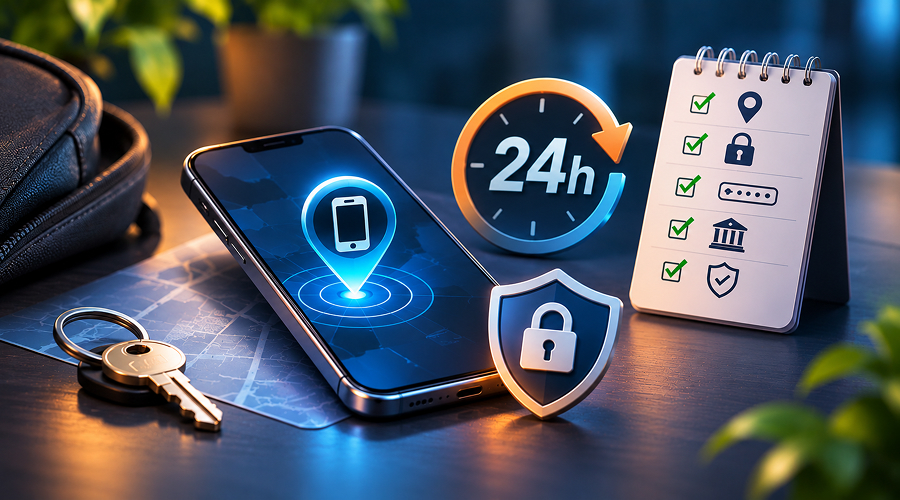
You fumble your pockets and find nothing. You check the other pocket, your bag, and finally between the car seat cushions. In a minute or two, however, you feel sick because the phone had all of your banking apps, your e-mail accounts, your photos, your two-factor codes, and perhaps your passport scan “just in case”.
In the next 24 hours, it will be decided whether your loss stays a mere inconvenience or whether your accounts get drained or stay drained for weeks.
We walk you through the necessary steps below, from your first moments of panic to extra safeguards you want to apply afterward.
Spend 5 Minutes Looking for It

More often than not, your “stolen phone” ends up under your couch cushion or inside your jacket. Don’t rush into blocking your accounts until you conduct a quick search.
Dial your phone number using a phone lent to you by a friend or colleague. If you hear the sound of your phone, mission accomplished. If you’ve used it in a coffee shop or a taxi lately, call them directly. Ride-share services such as Uber allow you to file a lost item and reach the driver directly from your desktop computer.
Recall the last moments of your phone in your possession. In a minute or two without success, however, move on to tracking it.
Find It on the Map with Apple and Google Services
Both services provide free apps to locate your phone from any computer or another borrowed phone.
If you use an iPhone, visit icloud.com/find and log into your Apple Account, or access the Find My app from any other iPhone or Mac computer. This feature is available across compatible apple devices, allowing you to locate your lost phone, make it ring, and manage its security remotely. You will see the location of your phone, along with the ability to make it ring, including when in mute mode. Because of its built-in network of nearby devices that support Find My technology, the phone will still locate even without internet access, and for some time even after it was turned off.
If you have an Android phone, go to google.com/android/find. From there, log in using the Google Account associated with your lost phone. In January 2025, Google changed the name of its Find My Device service to Find Hub. It allows you to see the current location of the lost phone, ring it, or lock it. Samsung devices owners should also use Samsung Find through their Samsung account to locate, ring, or remotely secure their missing phone.
If the location is somewhere suspicious, do not try getting the phone back by yourself. Contact the police with the address found instead.
Block the Phone and Mark It as Stolen
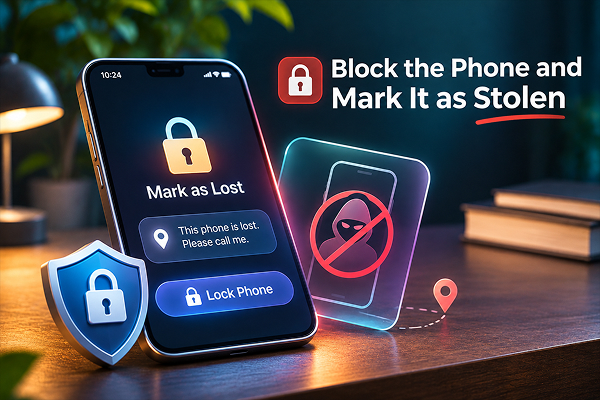
If you cannot restore your phone right away, remotely block it as soon as possible, even if you think the phone is just temporarily misplaced. Once your data and personal information are exposed to the wrong person, you cannot recover the damage.
For iPhone users, mark the phone as lost via Find My. This automatically locks your phone with your usual password, displays a message of your choice along with a phone number on the lock screen, and temporarily disables the stored credit card numbers for Apple Pay service.
Android owners have an equivalent feature named Mark as lost in Find Hub. It locks the phone and allows you to show a message with your phone number to the finder.
Don’t erase your phone yet. Remote erase operation destroys all of the non-backed-up data, not just the sensitive one, and ends tracking on Android, so keep it as the last option. Also, if you’re using an iPhone, don’t try removing it from your Apple Account yet, since it removes the Activation Lock feature of the device, which stops thieves from setting up your phone on their account instead of yours.
Call Your Mobile Service Provider
Your phone is a gateway into many accounts you own. Your bank sends you the codes for logging in, along with your e-mail provider and some social networks.
Call your carrier and instruct them to either suspend the line or block the phone’s SIM. They usually provide you with a new SIM or transfer the number onto an eSIM of a new phone, usually within a day.
They will also be able to block the IMEI number (more on IMEI below) on the device you reported stolen, or add a PIN and port-out protection measures to your phone number to protect it.
The IMEI is located on the phone’s box, in the carrier account, and in the devices section of your Apple/Google Accounts.
Change the Passwords and Sign Out the Phone
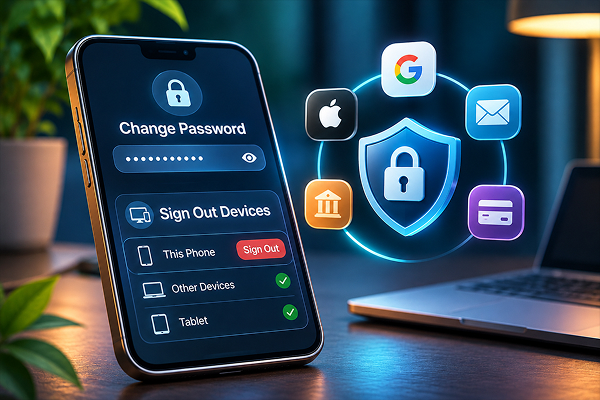
Starting with your primary e-mail, since all password resets go through it, change all account passwords in your Apple Account or Google Account, in all banking applications, password managers, and shopping accounts with stored payment methods.
Almost all of these services allow you to remotely log out a device. For example, your devices can be listed in the security section of your Google Account, while WhatsApp and Facebook show active sessions and give you an opportunity to sign out of them.
However, if your authenticator lived only on your phone and you don’t have any backups, the services offer procedures for logging into your accounts, which, however, usually take a few days. All passkeys you stored in iCloud Keychain or Google Password Manager are synchronized across your other devices as well.
Inform Your Credit and Banking Institutions
Even if your phone is blocked and logged out of all accounts, you will still want to contact your banking institution and credit card providers about that incident. Ask them to monitor the activity on your account carefully. Almost all banks allow you to freeze the card online in a few seconds.
The credit cards you registered in Apple Pay/Google Wallet services use a special separate number for transactions with them, which can be canceled without affecting the actual physical card.
Here are the calls you must make first thing in the day:
- To your mobile carrier, to block the line and your phone’s number.
- To your banks and credit card providers, to freeze the cards.
- To the police, to make a report.
- To your company IT department, if the phone contained a work e-mail account and/or work applications.
Make a Police Report and Check Your Insurance Coverage
Making a police report might not help to get your phone back, but at least it will give you a case number, needed when filing a claim with an insurance company. Many departments have an online form for making reports. You can fill in the IMEI of the phone, its type and manufacturer, and the last location found via your tracking service.
Then check if you have any insurance coverage that can compensate you for your losses.
Your phone insurance with your carrier, AppleCare with Theft & Loss, or Samsung Care+ may compensate you for your device, but usually, for that, you have to pay a deductible.
AppleCare+ with Theft & Loss also requires you to have your Find My technology enabled.
Some of your credit cards have a theft protection policy built into them, compensating your losses if you pay with the card every month.
And you have some homeowners or renters insurance plans which also cover theft of your personal property, though claims for them also expire with time.
Protection Measures That You Will Want to Apply Later
Once everything urgent is dealt with, think about what else you had in the lost phone that poses a danger once someone gets access.
It can be the scan of your driver’s license/passport, copies of your tax returns, saved PDF files with your SSN number, or banking applications which ask for no additional login attempts.
In case you are in the United States of America, consider putting a freeze on your credit via three major agencies (Equifax, Experian, and TransUnion). This will cost you nothing, and prevents new accounts from opening in your name, and this freeze can be lifted anytime you need credit. A lighter alternative is putting a fraud alert on it. With the same services, this time it will take effect for one year. In case any fraud is detected, report it to IdentityTheft.gov, that is the website of the Federal Trade Commission. It will help you to build a personalized recovery plan of action.
You may also consider if you have any coverage for identity theft. This type of insurance is usually included in your homeowners or renters insurance policy, some credit cards provide such coverage, or employees may be covered by their employers. This is usually called an
Employee Identity Theft insurance policy.
These plans normally include legal fees and any wage losses as well as a specialist who restores your identity. Though it does not stop the crime from happening, the recovery process becomes less painful.
Then prepare your new phone to minimize the damage:
- Enable Stolen Device Protection on iPhone or Theft Detection Lock on Android.
- Ensure that backups are automatically done through iCloud or Google Account.
- Make copies of your two-factor backup codes and store them somewhere other than in your phone.
- Keep your ID scans in a separate, secure folder rather than the photo album on the camera roll.
Conclusion
Losing your phone feels awful, but you have more control over the situation than you think. Briefly look for the phone, track it, block it, and then follow these actions in the following order: your mobile carrier, passwords, your bank, and police report. Most of the damage done by the lost phone happens because of waiting, so acting in the first 24 hours will serve as a good defense measure.
After you have calmed down, take about an hour to improve your setup. Small habits you build now, the backups, the recovery codes, and credit freeze (in case you had your documents on the device), will prove extremely useful in future emergencies.