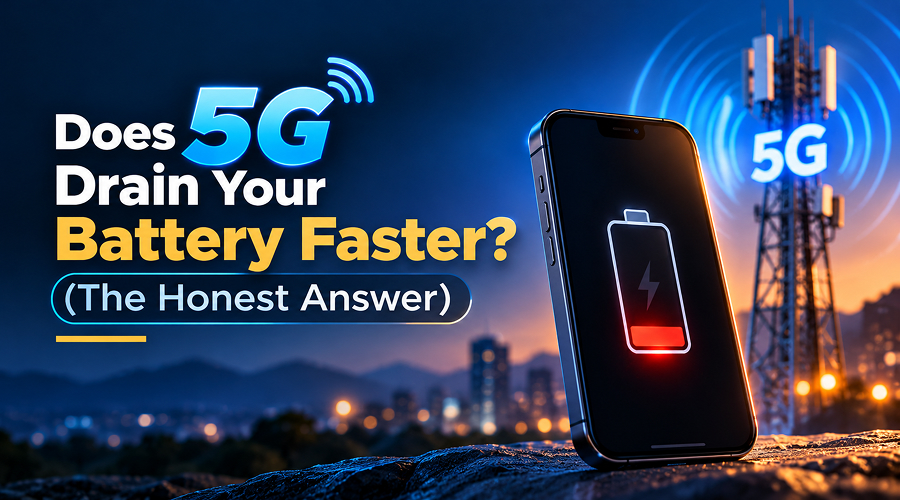
5G has made the mobile internet faster than ever. It allows users to download files, stream videos and play online games without waiting much. But as the saying goes – every coin has two sides so is the case with the 5G network. Many users claim that the battery drains faster when 5G is enabled. So, does using 5G drain your battery faster? The honest answer is yes.
5G uses more battery than 4G LTE; however, that’s not always the case. It mainly depends on your phone, network signal and how you use it. Newer phones come with features to manage battery power better than older 5G models.
Moreover, the signal has its impact too. If your 5G signal is strong, the effect on battery life may be small. But if the signal is weak or keeps switching between 4G and 5G, your battery may drain faster. So, if you want to know why it happens, keep reading this post. Here, we will explain all the possible reasons for it along with some tips to save battery without turning off 5G. Let’s get started…
How 5G Uses Battery Compared to 4G LTE
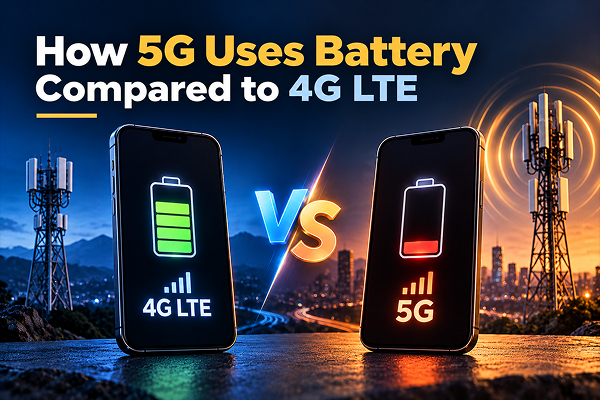
Smartphones use modem to connect to mobile networks. Their job is to handle communication between your phone and nearby mobile towers. Like any other component, it also needs power to work. With 4G network, this process is pretty simple. However, with 5G, your phone may need to manage more network connections and handle more data, which is why it uses more battery.
Here are the main reasons 5G can use more battery than 4G.
1. Weak 5G Signals
If your 5G network is weak, then surely, it will make the phone work harder. Your phone needs a good signal to connect to a mobile tower. When the 5G signal is weak, your phone may use more battery to stay connected. This usually happens indoors, in basements, lifts or areas with poor 5G coverage.
Solution: If you are in a weak 5G network area, then consider switching to 4G LTE. It may save battery if its signal is stronger and more stable.
2. Phone Switching Between Networks
When 5G coverage is inconsistent, your phone keeps switching between 5G and 4G LTE. It could again be a reason for your phone consuming more power. Depending on the network setup, it may also need to maintain connections to both technologies.
Solution: Consider switching to 4G LTE when you notice inconsistent coverage for a longer duration.
3. Faster Internet
5G makes it easier to stream high-quality videos, download large files and play online games. All these activities consume more power, regardless of whether you use 4G or 5G. For example, watching videos at a higher resolution can consume more battery because the screen, processor and network connection all have to do more work.
Solution: You can lower video quality and limit heavy activities like large downloads and online gaming to reduce battery drain on 5G.
Why Early 5G Phones Had Worse Battery Life (And Whether It’s Fixed Now)
Early 5G phones often used more battery because the technology was new. Some phones had a separate 5G modem, which used extra power and produced more heat. Also, phone makers needed time to improve how 5G worked on smartphones.
Besides that, Network setup was also a reason. Early 5G networks often used both 4G and 5G connections to work properly. Depending on the network, this could use more battery.
Has the problem been fixed?
The situation has improved, but the problem has not disappeared completely. Undoubtedly, newer phones come with more efficient modems and better power management.
However, battery drain can still happen when the 5G signal is weak or unstable. Other factors, such as battery capacity, screen brightness, background apps and the phone’s condition, also affect battery life.
How Modem Efficiency Has Improved in 2025–2026 Chips
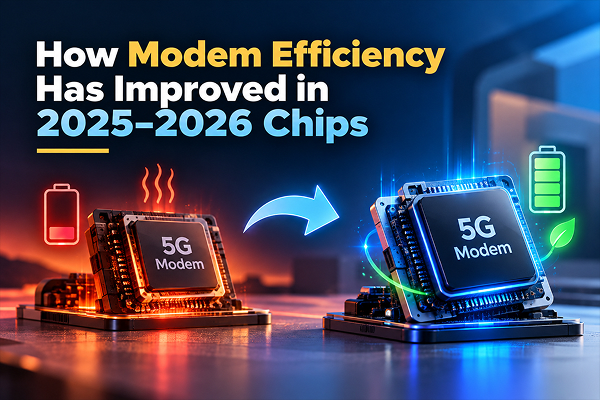
Smartphone manufacturers working hard to improve the components responsible for mobile connectivity. The modem also helps improve battery life by making network connections more power-efficient.
Here is how newer phones save battery on 5G; take a look…
- More Efficient Modems: Newer phones include more efficient modems that are designed to provide 5G connectivity while using less battery power. For example, Apple introduced its C1 modem with the iPhone 16e in 2025 and later launched the C1X modem with the iPhone 17e in 2026. The brand claims the C1X uses 30% less energy than the modem in the iPhone 16 Pro.
- Better Network Management: Modern phones are designed to manage network connections more efficiently. They can adjust how they connect based on signal strength and data needs, thereby helping save battery.
- Better Chip Design: Better chip design is yet another thing that help newer phones save battery on 5G. It lets modem, processor and software work well together.
- Improved Modem Technology: Companies like Qualcomm, MediaTek, Samsung, Apple and others are developing new modems with better connectivity and power efficiency to help improve battery life.
All in all, newer phones do offer a better balance between 5G speed and battery life. However, the actual battery savings depend on your network signal, battery capacity and phone usages.
Practical Tips if 5G Is Draining Your Battery
If your phone’s battery drains faster on 5G, you don’t need to buy a new phone right away. Here are a few tips that you can follow to handle the issue; take a look…
1. Switch to 4G LTE When in Weak 5G Network Area
If your phone keeps switching between networks or struggles to maintain a 5G connection, it’s better to switch to 4G LTE. Just follow these steps:
Settings > Network & Internet (or Mobile networks) > Select your SIM / Data Provider > Preferred network type, then choose LTE (or 4G/3G/2G auto).
You can switch back to 5G when you need faster internet or have better coverage.
2. Use Wi-Fi Whenever Possible
If you have access to a stable Wi-Fi connection, then consider using it pretty often. Doing so can reduce your reliance on mobile data and help you save your phone’s battery. You can do it especially when you spend several hours using the internet at home or in the office.
3. Reduce Screen Brightness
The phone’s display consumes more power when brightness is high. Therefore, you are advised to use automatic brightness or reduce screen brightness if possible.
4. Check Apps That Use the Most Battery
Apps (whether you are using them or they are running in the background) use significant amount of power. Therefore, it is wise to remove apps that consume more and you are already not using them. Just go to your phone’s battery settings and see which apps consume the most power. Uninstall the ones you don’t need and restrict background activity for apps you want to keep.
5. Enable Battery Saver
Consider enabling Battery Saver or Low Power Mode. Doing so can reduce background activity and limit certain features, helping your phone last longer when you cannot charge it. Follow these steps:
Open Settings > Battery > Battery Saver, then tap Use Battery Saver
6. Keep Your Phone Updated
More often than not, software updates include improvements to network management and battery performance. Make sure you keep your phone updated at all times. Follow these steps:
Go to Settings > Tap System, Software Update, or About Phone (varies by manufacturer) > Open Updates > Tap Download and install or Install Now
Once you have installed updates from your phone manufacturer, do check whether any particular app is consuming unusual amounts of power.
IMPORTANT NOTE: If your phone’s battery drains quickly even on 4G with a strong signal, check its battery health or get your phone checked by a professional.
Should Battery Life Concerns Stop You from Buying a 5G Phone?
Not exactly! Definitely, you should not avoid buying a 5G phone just because you’re worried about battery life.
5G offers faster downloads, smoother access to high-quality online content and better connectivity in areas with suitable network coverage. Moreover, newer phones are designed to manage power more efficiently than many early 5G devices. But at the same time, choosing a phone just for its 5G support is also not a wise approach.
There are a lot of factors to consider when buying a phone, such as the battery capacity, processor efficiency, software optimisation, efficient modem, charging speed and real-world battery test results. So, buy a phone keeping these factors in mind. A 5G phone with good battery life is a better choice for everyday use than an older phone without 5G.
The Bottom Line
So, there you have it: the answer to whether 5G drains your battery faster. Honestly, it does! When coverage is weak or your phone frequently switches between networks, 5G drains battery much faster. However, the difference depends on the smartphone, modem, network conditions and your daily usage.
Newer phones come with improved power efficiency, still they cannot eliminate battery drain in every situation. To save battery just follow simple tricks and you are good to go. If your battery drains quickly, switch to 4G in areas with weak 5G signals, use Wi-Fi when available and limit battery-hungry apps. Also, if you are planning to buy a new phone choose a phone with good battery life and use 5G when needed.