Buying a new phone is one of the major decisions people make these days. People buy phones for different needs, from handling everyday tasks to gaming and entertainment. Most times people buy them as a long-term investment. But there is something common about every phone i.e., every phone eventually stops receiving updates and support from its manufacturer. Of course, your phone does not suddenly stop working or become slow. But yes, things start to change slowly over time. Security updates stop, newer apps may not work properly and the phone may become less reliable.
So, if you want to know what happens after manufacturer’s support ends, then read this post. Here, we shall discuss everything in detail. Let’s dive in…
What “End of Support” Actually Means?
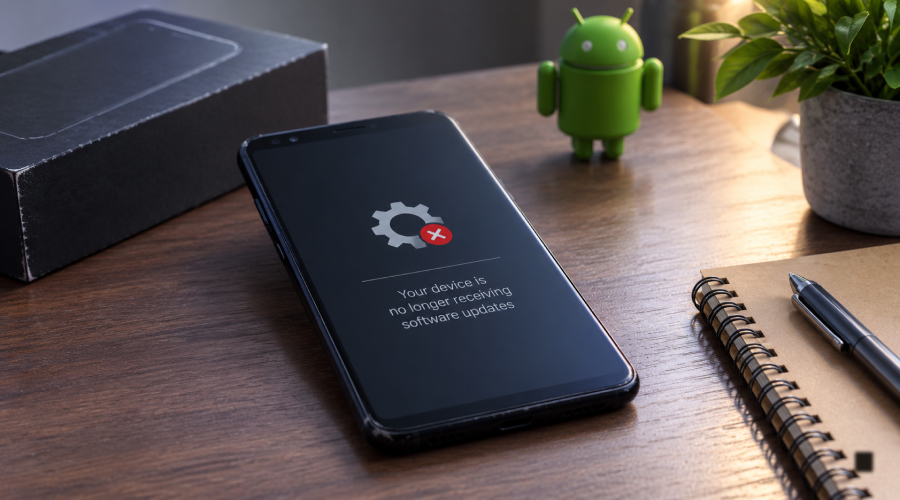
Every new device comes with regular manufacturer support. This support usually includes regular software updates, security fixes or technical support and it lasts for a few years (often around 3, 5, or 7 years). The exact policy varies between manufacturers and models. “End of support” is the time when the manufacturer stops providing regular software updates, security fixes or technical support for your phone. These updates are not the same for all devices. Different phones receive these updates differently.
When your phone becomes unsupported, it does not stop working. The existing operating system and most apps will continue to work. However, you will no longer get security fixes for new threats, and you may miss newer features and improvements. It is like an old camera that still works but becomes harder to maintain when parts are no longer available.
Security Risks of Using an Unsupported Phone
Security is one of the biggest concerns when using a phone that no longer receives updates. This is because most times manufacturers release security fixes to handle vulnerabilities. However, when your phone becomes unsupported for security fixes, new vulnerabilities become harder to handle.
An unsupported phone is not immediately unsafe. The risk increases over time as new security problems are discovered. The risk is higher if you use your phone for banking, shopping, work or important accounts.
So, how to handle it?
Simply by being a bit mindful.
For instance, you should avoid downloading apps from unknown websites. Doing so can make your unsupported phone more vulnerable to security weaknesses. Besides that, always use strong passwords, two-factor authentication and trusted apps to keep these security risks at bay when using an unsupported device.
Performance Changes After Support Ends
Stopping manufacturer support does not automatically make a phone slower. If your phone’s performance is faster, then it will remain like that even after official support ends. The performance issues do not appear instantly; they appear over time.
And the reasons include, downloading newer apps that require advance devices and operating system. This happens because newer devices require more storage, memory or processing power than older versions. In simple terms, heavier apps in older devices may not perform that well, leading to performance issues over time.
Besides that, ageing battery is another common reason affecting performance in older devices. If battery life is one of your priorities when replacing an aging device, looking at best battery backup phones can help you find models designed for longer usage. Smartphone batteries naturally lose capacity after years of charging and usage. Old batteries drain faster, can even cause unexpected shutdowns or make the phone feel less reliable in the long run.
Another reason is phone’s storage. Photos, videos, files, app data, and system files can slowly fill up your phone’s storage, thereby affecting the overall performance. This can happen when your phone has very little free storage.
So, losing support does not directly slow down your phone. Its age, hardware issues and newer software are often the main reasons.
App Compatibility Problems Over Time
This is one of the most common problems with an aging device. More often than not, developers release new versions of their apps for their latest devices. Sometimes new apps do not support older Android or iOS models.
Initially, you may not notice any change because your existing apps will still work. Over time, some apps may not work because of older operating system or they have stopped receiving updates.
Regular apps, such as banking, payment and social media apps can also become obsolete as and when they need newer software for security and compatibility. Some older app versions may even stop working when the company updates its services.
Options When Your Phone Reaches End of Support
Of course, a phone reaching its End of Support can be disturbing for anyone. However, there are a few things you can do to maintain its performance and keep using it safely for longer. Take a look…
Continue Using with Caution
If your phone is still performing well and you use it only for basic tasks, such as calling, messaging, music, photography and mild browsing, then you can still continue using it. Just make sure you keep the phone’s built-in security features enabled and avoid installing apps from unknown sources. Also, avoid using an unsupported phone for banking or storing sensitive information, as it can pose security risks.
Pro Tip: Keep a backup of your important data as older phones can sometime develop a hardware glitch or an app can stop working all of a sudden. This way, you will be able to have your photos, contacts or other important files safe.
Install a Custom ROM
Installing a custom ROM is yet another way to extend the life of an older Android phone. A custom ROM is an alternative version of Android made by third-party developers. Installing a custom ROM can give an old phone a newer Android version, especially after the End of Support by manufacturers.
However, installing a custom ROM may require some technical knowledge. If not done correctly, you might not be able to use some features or banking apps. So, make sure you learn how to do it or get it done by someone who possesses technical knowledge.
Pro Tip: Make sure to check your exact phone model and use a trusted ROM with an active developer community when you install a custom ROM.
Upgrade to a New Device
Of course, the last resort is always to upgrade your device. If your phone has completely stopped performing well, then replacing your phone is the best option.
You do not have to make a hole in your pocket. You can consider buying a mid-range phone with a long update policy. If you’re unsure which model offers the right balance of price, performance and software support, a mobile phone comparison can help you evaluate your options. However, a slightly more expensive phone with longer updates can save you more money over time.
Pro Tip: When buying a new phone, do not focus only on its specifications. Compare phones based on their update policy, security support, battery life, performance and expected lifespan before making a decision. Check how long it will receive software and security updates. A phone that stays secure and useful for years can be a better investment.
The Bottom Line
So, this is what happens when the manufacturer support for your phone ends. Know that your phone does not become useless immediately after its manufacturer stops supporting. Some people keep using their unsupported devices even for months or even years afterward. The problem mainly occurs over time. Security issues may remain unfixed, newer apps may stop working, battery life may drop and performance may get worse.
However, if your phone still works well, you can continue using it with caution and keep your data backed up. Still, it is wise to avoid using your unsupported device for banking, payments and other sensitive tasks. If it becomes obsolete completely, then it’s wise to switch to a supported phone.