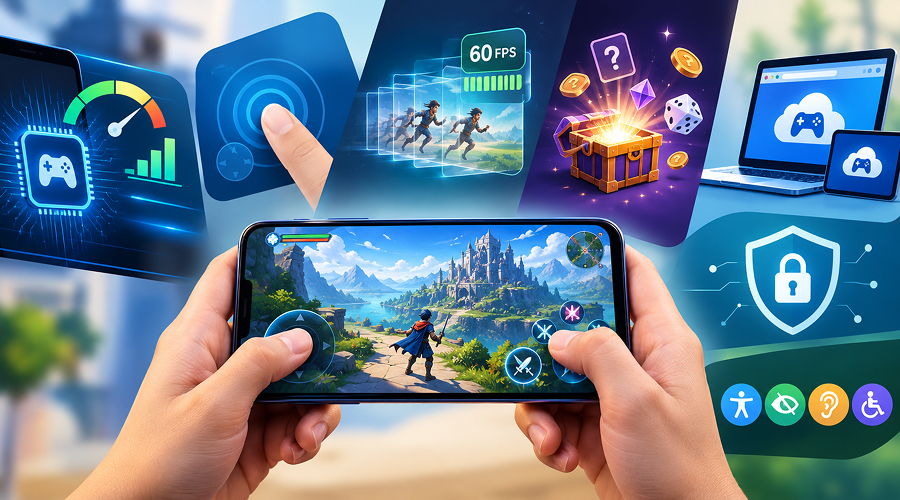
A mobile game can look simple on the surface while relying on a complicated combination of graphics, touch input, network requests, animation timing and probability systems. Understanding these components helps users evaluate apps more intelligently and helps developers identify what makes an experience smooth, accessible and trustworthy. The same principles apply to puzzle games, arcade titles and browser-based interactive experiences.
Why Frame Rate and Refresh Rate Are Different
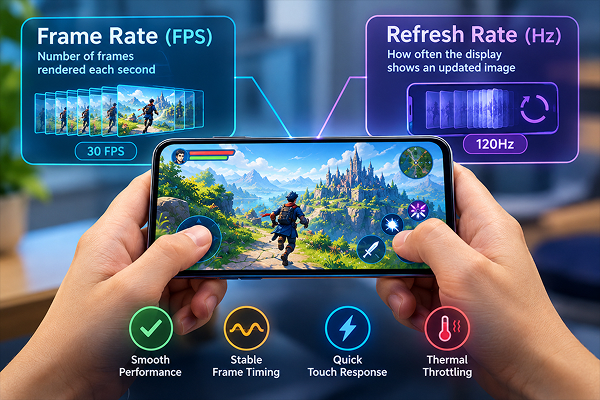
Frame rate describes how many distinct images a game renders each second. Refresh rate describes how often the phone’s display can show an updated image. A 120Hz screen cannot make a game running at 30 frames per second magically produce 120 unique frames. Smoothness depends on consistent frame delivery, not simply a high maximum number.
Uneven frame timing creates visible stutter even when an average FPS figure looks respectable. A useful test checks both frame-rate stability and how quickly the interface responds to a tap. Thermal throttling can lower sustained performance during longer sessions, so five minutes of testing may not represent an hour of use. Choosing a suitable mobile gaming phone can help users achieve more consistent performance, particularly when playing graphics-intensive titles for extended periods.
Touch Controls and Interface Design
Touchscreens have no physical buttons to guide the fingers. That makes hit-target size, spacing and feedback essential. Controls placed too close together lead to accidental taps; tiny text becomes difficult to read on compact screens. Good interfaces communicate whether an action registered without covering the play area with distracting animations.
Orientation matters as well. Portrait games are convenient for one-handed use, while landscape layouts can offer more room for complex controls. Developers should also consider text scaling, color contrast, motion sensitivity and audio alternatives for important alerts.
Loading Speed, Data Use and Offline Access
Mobile performance is not just a processor problem. Large textures, uncompressed audio and unnecessary network calls increase loading times and data consumption. Asset streaming can reduce the initial download, but it may make gameplay dependent on a stable connection. Offline support is useful for travel, while online titles need clear messages when connectivity drops.
Browser-based games have additional constraints: tab memory limits, background suspension and differences between mobile browsers. A responsive design should adjust to screen size without hiding key controls or forcing repeated zooming.
How Randomness Works in Digital Games
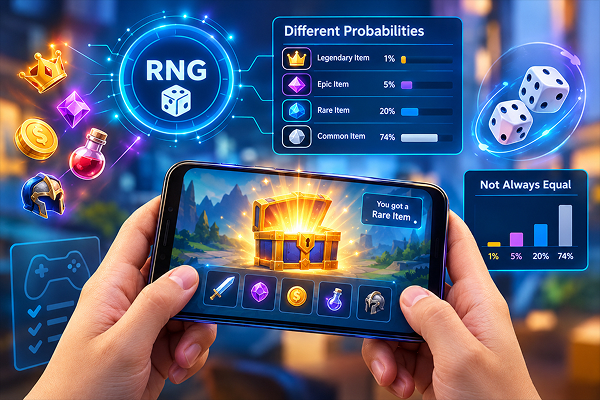
Some games use a random-number generator (RNG) to select outcomes within a defined rule set. That does not mean every possible outcome is equally likely. Developers can assign different probabilities to rewards, item drops or events. The important distinction is between a random selection process and the distribution from which the selection is made.
Short streaks are not reliable evidence that an algorithm has changed. People naturally notice clusters and try to turn them into patterns. In a well-designed app, clear rules and accurate explanations are more useful than an animation that makes an outcome appear predictable.
Why Demos Can Help Test an Interface
A demo can reveal whether a game is easy to navigate, whether sound and motion can be adjusted and whether its instructions make sense on a small display. It is less useful for drawing conclusions about rare events from a handful of attempts. When comparing slot demos, the meaningful technology questions include page responsiveness, animation speed, accessibility and whether the game provides understandable controls—not whether a short trial happened to produce a favorable result.
The same testing mindset applies to any interactive prototype. Keep conditions consistent, note loading time, record input errors and check whether the app behaves differently after prolonged use.
Graphics, Animation and Feedback
Visual effects can clarify a sequence of actions, but they can also hide what the software is doing. Consider a cascading animation in the Gates of Olympus 1000 demo: a viewer may see multiple stages following one initial action. From a user-experience perspective, the important questions are whether each stage is legible, whether the user can distinguish animation from interaction and whether the interface explains the final result clearly.
Reducing visual clutter can also improve battery life and accessibility. Settings for animation intensity, sound and vibration give users more control over the experience.
Visual Simulations and Misleading Intuition
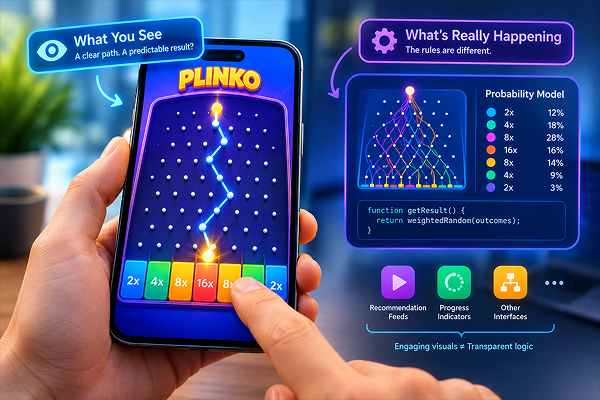
A physics-like animation may suggest that a result is determined by a visible trajectory. But the underlying implementation can differ from what the animation appears to show. A Plinko demo offers a useful example for discussing the difference between visual feedback and the software rules that determine outcomes. Without technical documentation, users should not assume that watching a few paths reveals the system’s probability model.
This lesson extends beyond games to recommendation feeds, progress indicators and other interfaces: an engaging visual metaphor is not necessarily a transparent explanation of the underlying algorithm.
Privacy, Permissions and Responsible App Design
Mobile apps should ask only for permissions that their functions require. A simple game rarely needs access to contacts or precise location. Users should check privacy policies, account controls, payment screens and whether advertising is clearly distinguished from gameplay. For apps with purchases or monetary stakes, clear costs and age-appropriate safeguards are especially important.
Developers should test on lower-cost phones as well as premium models, because real audiences use a wide range of hardware and network conditions. The strongest mobile experience is not the flashiest one; it is the one that explains its rules, respects the user’s attention and works reliably across devices.