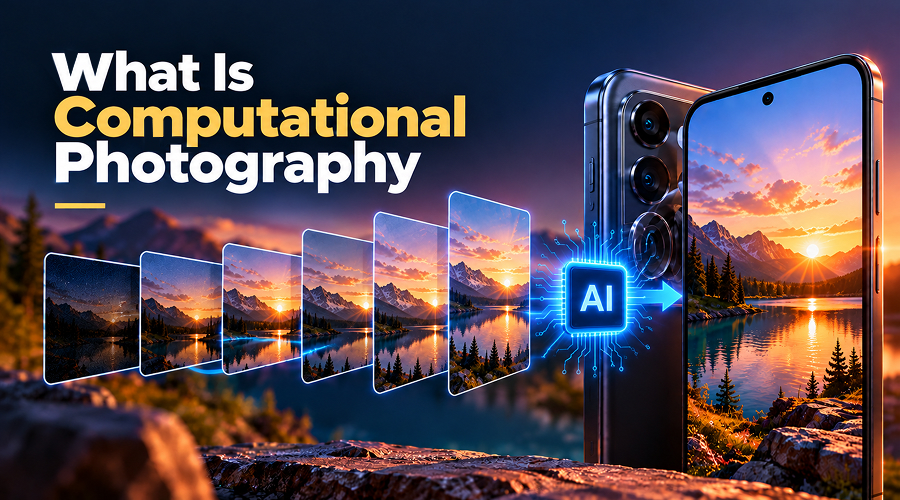
Mobile phone cameras have improved a lot over the years. Now you can capture mesmerizing shots even with an ordinary phone. Photos of sunsets, night scenes, portraits and moving objects are clearer and more detailed. All thanks to the newest technology called computational photography, in addition to advanced sensors and lenses.
Traditional photography uses a lens and sensor to capture images, while computational photography uses software to improve them. The best thing about this technology is that you need not to have special skills to capture stunning photos. But how does computational photography work, and how it changed mobile cameras forever? Explore this post to learn about computational photography in detail. Let’s dive in…
What Is Computational Photography?
Computational photography is the most advanced method of capturing and improving photos. It uses both camera hardware and software. Instead of just relying on the light entering the lens, it processes images to produce better results. So, now when you take a photo, your smartphone may capture several images, combine details and adjust brightness and colours within seconds. For example, it can balance the brightness of a person and a bright scene in the same photo. Also, it can improve night shots, create background blur in portraits and identify objects using AI.
It is one of the most useful technologies that manufacturers use to market their devices. This technology helps smartphones overcome the limitations of their small sensors and lenses, making mobile cameras more capable. For anyone exploring Photography smartphone technology, computational photography is an essential development to understand.
However, software alone cannot improve every photo. The final result also depends on the camera sensor, lens, lighting, and image processing.
How It Works on a Smartphone
Computational photography uses several techniques to improve the pictures taken by a smartphone, including multi-frame processing, AI scene recognition and night mode stacking. Here is how it works:
1. Multi-Frame Processing
Multi-frame processing means taking several photos of the same scene and combining their details into one final image. The moment you press the shutter button; your smartphone captures multiple shots with different brightness levels or at slightly different moments. The software then selects and combines the best details from these images to create one final photo. For example, one photo may capture bright areas better, while another shows more detail in dark areas. Combining the best details from each shot creates a clearer picture with balanced brightness.
This technique comes in handy when you want to capture landscapes, portraits and scenes with both bright and dark areas. Also, multi-frame processing can reduce noise, such as unwanted grain or coloured spots in photos. This makes images look cleaner and more detailed. However, moving subjects can cause blur or ghost-like effects. Thankfully, modern smartphones include motion detection and image alignment to reduce these issues. However, results vary by phone and scene.
2. AI Scene Recognition
AI scene recognition helps smartphone cameras identify the shots you are capturing and adjust settings automatically. For example, it can improve colours in food photos, skin tones in portraits and details in landscapes. Also, it can recognise faces, detect movement and improve focus and sharpness. This makes it easier even for beginners to capture stunning shots even without manual adjustments or having specialized knowledge.
However, AI scene recognition does not always produce accurate or natural results. A phone might make colours too bright, increase contrast excessively or smooth a person’s skin more than necessary. In some cases, the camera can even interpret a scene incorrectly. So, AI makes photography easier, but it may not always capture the image as you want.
3. Night Mode Stacking
Taking photos in low light was never easier, but thanks to computational photography as it allows you to capture amazing night shots. Night shots captured with traditional phones used to look darker, grainier or blurry. Computational photography has overcome this limitation. Night mode stacking comes in handy here. It helps capture multiple images and combine them into one brighter, clearer photo.
When you use night mode, your smartphone takes several shots to capture details in both bright and dark areas. The software then combines them to improve brightness, reduce noise and reveal more details. This helps capture night scenes, street lights, buildings and indoor photos without using flash. But it is worth noting that night mode works best when the phone and subject stay still. Moving people or vehicles may still appear blurry.
Computational Photography vs Optical Photography
Computational and optical photography work together. However, they focus on different parts of the image-making process.
Optical photography depends mainly on how the lens and camera sensors. The lens focuses light, while the sensor records it. The quality of these components plays a crucial role in determining how much detail the camera can capture. Computational photography, on the other hand, relies heavily on software to improve photos. It uses software to process the captured information. It can combine several frames, adjust exposure, reduce noise, improve colours and create effects such as background blur.
Here is a quick comparison:
| Features | Optical Photography | Computational Photography |
| Main Approach | Uses the lens and sensor to capture light | Uses software to process and improve images |
| Image Quality | Depends heavily on the lens, sensor and lighting | Depends on hardware, processing and software |
| Dynamic Range | Limited by the sensor and exposure | Combines exposures to retain bright and dark details |
| Low-light Photos | Uses larger sensors and wider lenses | Brightens images by combining multiple frames |
| Portrait Effects | Uses lens characteristics and optical depth of field | Estimates depth and blur the background digitally |
| Processing | Produces images with minimal processing | Uses several automatic adjustments |
| Limitations | Physical size, light and sensor capabilities | Processing errors, artificial details and unnatural results |
Neither approach can alone capture excellent shots. The best smartphone camera is the one that combines quality hardware with computational photography. Undoubtedly, a combination of good hardware (a good sensor and lens) with software is a MUST to capture best shots. A good sensor and lens help capture more light and detail, while software improves the final image.
Where Computational Photography Still Falls Short
Undoubtedly, computational photography has made smartphone cameras much more capable, but it also has certain limitations, such as:
1. Moving subjects can look blurry
Since computational photography relies heavily on combining multiple frames, moving subjects can still look blurry. When people, children, or vehicles move quickly, the camera may fail to combine the images properly, causing blur or strange outlines.
2. Photos can look unnatural
Modern smartphones include software to enhance colours, sharpen images and smooth skin. Photos may look better, but these changes sometimes make skin look unnatural and colours unrealistic.
3. Software alone cannot create the best images
Computational photography can improve an image, but it cannot completely replace a good hardware (sensor and lens). It may brighten a dark photo, but it cannot always restore missing details.
4. Fine details can be lost
Computational photography relies heavily on software. Too much processing can make hair, leaves, grass and distant buildings look unnatural. Software sometimes removes real details while reducing noise or sharpening the image.
5. Results can vary between smartphones
Two phones with similar cameras can take different photos because they use different sensors, processors, and software. One may produce natural colours, while another makes images brighter and more colourful.
6. Automatic processing may limit creativity
Automatic adjustments are helpful, but they may not match the photographer’s intentions. Manual settings and RAW capture offer more control.
Knowing these limits can help you understand what to expect from modern smartphone cameras. Computational photography is undoubtedly a great addition, but it cannot create stunning shots alone, it still needs good camera hardware.
Putting it all together…
So, this is all about computational photography. Computational photography has undoubtedly made capturing stunning photos much easier for even beginners. You don’t have to be a photography expert to take good photos using a smartphone. Features such as night mode, portrait effects and AI scene recognition help improve image quality without requiring special skills.
Also, it helps smartphones capture better pictures without needing larger cameras. But you cannot deny the fact that software alone cannot capture mesmerizing shots. It still needs a good camera hardware. The lens, sensor and lighting still play an important role. Software can improve images, but it cannot always recover missing details. Best results can come only when your smartphone cameras combine good hardware with effective software.