

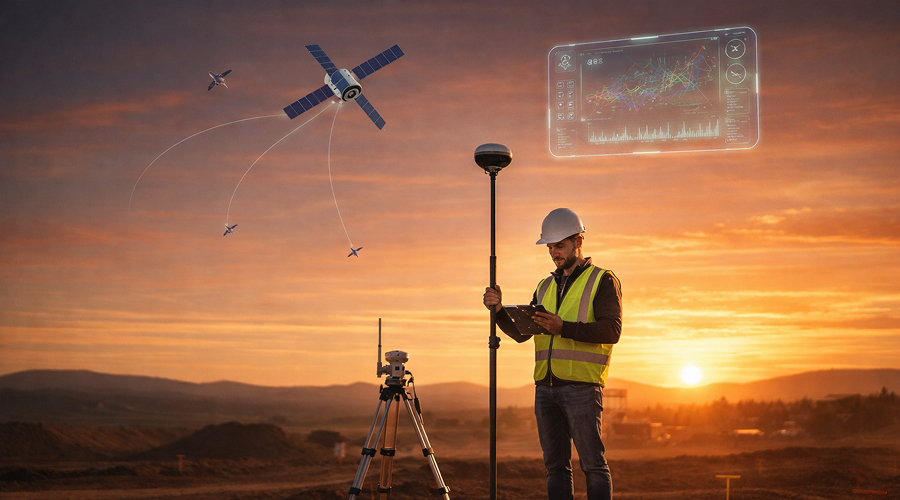
RTK GNSS didn’t just get more accurate or more available—it got more usable. The quiet revolution is that centimeter work is now often managed from the same device people use to message a crew lead, photograph a site issue, and sign off a checklist: a phone. Receivers still do the heavy lifting, but the workflow—setup, checks, capture, and handoff—has migrated into mobile apps.
The fastest way to see that shift is to watch how teams now run survey GPS equipment through a modern mobile interface: connect in seconds, load project settings, verify corrections, and start collecting points with a UI designed for thumbs instead of styluses.
This is where apps like Emlid Flow become more than “an app” and start acting like a field operating system. It’s not only a place to tap “connect.” It’s where you decide what kind of job this is, what quality is acceptable, and how the next person will understand what you did when you’re no longer standing there.
The Controller didn’t disappear—it got absorbed.
Old-school survey GPS setups had a clear hierarchy from an instrument to a controller and, finally, to an office. Today, the phone absorbs a surprising amount of what used to require a dedicated controller for survey GPS equipment. Not because the phone is tougher, but because it’s better at the parts of the job that aren’t pure measurement: configuration, collaboration, documentation, and data movement.
On a practical day in the field, the mobile workflow tends to look like this:
- Pair receiver
- Confirm mode (rover, base, or network rover)
- Connect corrections (or broadcast them)
- Check solution status and stability
- Set up coordinate systems for you surveys
- Collect points/lines with attributes and photos
- Stake out point/lines
- Calculate geometry and cut&fill values
- Export or sync data with office immediately
- Even collaborate with multiple team members working on a single project at the same time
The difference isn’t just speed. It’s predictability. When the workflow is app-driven, crews can standardize it, teach it faster, and reduce the “tribal knowledge” problem—where one person knows the magic settings and everyone else just hopes they’re nearby.
The Phone as the Control Tower
The modern mobile workflow starts with what looks almost trivial: pairing. Bluetooth or Wi-Fi, a quick device pick-list, and suddenly the receiver is “on your team.” From there, the companion app becomes a control tower: it exposes settings that used to live in a controller menu maze—antenna height, logging, coordinate outputs, base/rover mode, radio settings, data links all managed from a mobile device instead of a dedicated controller.
This is not just convenience. It’s operational leverage:
- A foreman can spin up a rover for quick checks without pulling a surveyor off another task.
- A GIS tech can standardize field collection with a single configuration profile shared across devices.
- A mixed crew can get consistency because the app can enforce the same project settings each time, rather than relying on who remembers what.
And because phones are good at the things dedicated controllers never prioritized—typing, touch navigation, connectivity, screenshots, sharing—the field process gets less “instrument-first” and more “project-first.” When something looks off, you can capture the state (solution type, satellites, corrections link) and send it to the office in seconds, instead of trying to describe it over a call.
Corrections in your pocket: RTCM + NTRIP without the ceremony
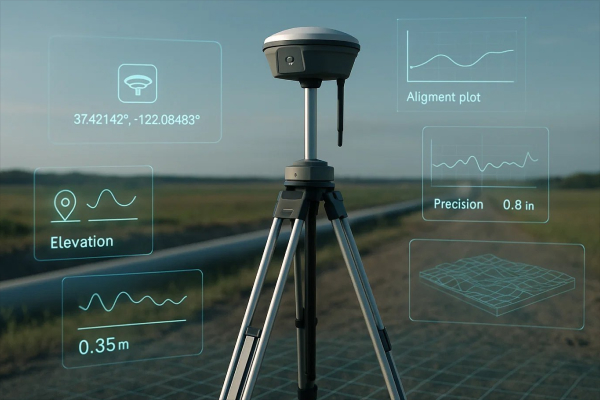
RTK’s “secret sauce” is not secret at all: corrections. The way those corrections arrive has quietly become more flexible—and mobile apps are the reason crews notice.
Two terms matter here:
- RTCM is the common format for streaming correction data to improve positioning accuracy.
- NTRIP is a widely used way to deliver those RTCM corrections over the internet to a rover in the field.
In practice, a mobile app typically makes corrections feel like an account login: enter the caster address, port, mountpoint, credentials, hit connect. Behind that simple UI is a real shift in how teams operate. Internet-delivered corrections remove a lot of line-of-sight headaches and let one reference network serve many rovers simultaneously.
Mobile-first corrections also change how downtime is handled. If a corrections stream drops, the app can show the cause in plain language: no data, wrong credentials, weak cellular signal, mountpoint mismatch. That immediate feedback reduces the “we lost RTK and don’t know why” spiral that used to burn half an hour on some jobs.
The New Literacy: FIX, Float, and the Confidence Problem
Ask an experienced field tech what they actually want from RTK and you’ll get a refreshingly non-technical answer: “I want to know if this point is believable.”
- Mobile apps increasingly translate that question into a few live indicators:
- FIX vs float status (and how long it took to fix)
- correction link health (connected, reconnecting, stale)
- satellite tracking and geometry cues
- tilt compensation status (if applicable)
This matters because high-precision positioning is not just an accuracy number; it’s a chain of conditions. If the corrections stream is delayed, if multipath is brutal, if you’re under canopy, if the receiver is seeing enough satellites but the geometry is ugly—your result can look “fine” until it isn’t. The mobile UI is where those conditions become visible, especially for crews who are not GNSS specialists.
A practical improvement you see in phone-first workflows: teams start developing “field habits” around the app. Before staking anything critical, they check fix stability for a short interval. Before collecting a control point, they watch for consistent status. It’s not glamorous, but it’s the difference between fast work and fast rework.
Field notes Finally caught up to Field Reality
One of the least appreciated shifts in mobile RTK is documentation. A point without context is a future argument. Mobile apps let you attach context while you still remember what you’re looking at: photos, text notes, point codes, even quick sketches.
This is where the phone’s camera is not just a camera—it’s a liability reducer. In many projects, the “what did you measure?” question is as important as “what coordinate did you store?” When someone disputes a stake location, a photo plus a timestamp plus a recorded solution status can save more time than another hour of measuring.
And this is also where camera-assisted workflows are emerging: capturing a quick visual record of the work area, then selecting features later—especially when the feature is unsafe or physically inaccessible. The mobile interface makes this feel like standard point collection, even though the data path is more sophisticated.
Mobile RTK in Agriculture: Steering, Mapping, and the rise of the Setup Screen
Precision farming is often described as high-tech equipment rolling across low-tech terrain. What’s changed is that the “high-tech” part is increasingly configured on a phone.
- A mobile-first RTK setup in agriculture typically involves:
- Configuring corrections once and reusing it across machines
- Verifying that the receiver output format matches what the implement expects
- Checking antenna offsets and mount stability in a quick pre-run checklist
Mobile apps help because they reduce setup friction. A tractor doesn’t need an operator who can explain correction protocols; it needs an operator who can follow a clear flow and confirm green status lights. RTK becomes less like “special equipment” and more like “machine settings,” which is exactly how adoption happens in the real world.
Logistics and Yards: Centimeters where People assumed Meters were enough
In fleet and yard operations, GPS used to be “good enough” until you had to answer uncomfortable questions: Which gate did the truck actually enter? Which slot did the container actually occupy? Which side of the building did the delivery stop on?
Mobile RTK adds a level of precision that turns location into a verifiable operational signal. It also fits logistics because the phone is already the work device: it runs dispatch, scanning, work orders, and messaging. Add a receiver, add corrections, and you can move from “near this building” to “at this door,” especially in open-sky environments.
There’s another subtle benefit: exception handling. When a route goes weird, or a drop-off is disputed, precise traces and point captures become part of operational proof, not just a map.
Film sets, Events, and “Spatial Truth” on a deadline
Entertainment is where you can see the phone-first shift in its most human form: time pressure. On a set or at a live event, nobody wants a workflow that requires a specialist to babysit it. Mobile interfaces make high precision usable by teams that live in checklists.
Here RTK’s value is less about grand mapping and more about alignment: keeping cameras, props, rigs, and virtual elements in the same spatial reality. The phone becomes the staging tool: confirm fix, capture positions, share them quickly, and move on. The witty truth is that half the battle is battery management and the other half is making sure everyone is looking at the same coordinate frame.
The fine print: what mobile makes easier—and what it can’t simplify
- Mobile apps remove friction, but they don’t repeal physics. A few realities stay stubborn:
- Corrections still need a reliable data link (cellular dead zones are still dead zones).
- Multipath still punishes shiny urban canyons and metal-heavy sites.
- Bad setups still produce bad results, just faster.
It’s also worth noting what the phone can’t replace. Some mobile operating systems expose raw GNSS measurement APIs for logging and analysis, which has expanded what developers and researchers can do.
But the practical gap remains: smartphone antennas and form factors impose limits that external survey-grade receivers are designed to avoid. Industry coverage has been blunt about those limitations and why they matter for truly reliable centimeter work.
So the most realistic view is this: the receiver remains the measurement engine; the phone is the workflow engine.
What to watch next: RTK as a Software Feature
The trend line is clear. RTK is becoming something you “turn on” inside a mobile workflow: pick a corrections source, confirm status, capture, sync, and hand off. The user experience is moving toward guardrails—apps that prevent bad setups, explain failure states, and make quality cues obvious.
That’s how precision spreads beyond specialists: not through marketing claims, but through interfaces that make the right action the easy action. RTK won’t replace judgment in the field. But it’s increasingly giving that judgment a dashboard—and it fits in your pocket.


