

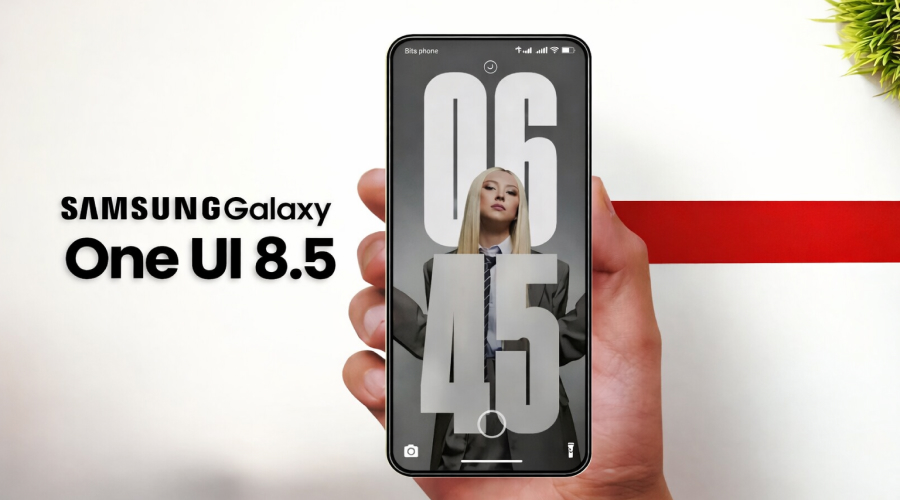
Spirits were high, and hands were free! This was the world’s mood towards the end of 2018, when Samsung launched its revolutionary One UI. Apart from maximizing performance through bleeding-edge technology, One UI was built around the idea of using smartphones one-handed.
It has been over 8 years since then, and with the latest release of One UI 8.5 beta, Samsung’s primary focus on one handed usage almost seems like an afterthought.
The promise of usability, which allowed One UI to stand out
It worked great! The whole world of Android smartphones was forced to reshape their aesthetics and ergonomics. The hearers were made larger, as a result, it allowed for the content to be “pushed” down. Primary actions on phones (Home, back, and recent screens) were already within reach of your thumb. The genius idea of “overscroll” was invented. This allowed users to access the top of the huge screen seamlessly. It was truly one of the bigger decisions towards the usability of a device.
Looking back, this stand was crucial for the users. Phones started getting bigger. Firms such as IDC and Counterpoint reported a massive increase in the number of phones with larger screen sizes. (6.5 inches and above) Nearly every credible designer agreed that the lower quadrant of the smartphone was the ideal “thumb zone”. The vision of Samsung’s One UI aligned perfectly with this notion.
Now, people are so accustomed to One UI that it is hard to imagine a smartphone without it. If you open the settings app on any Samsung smartphone today, you can see that the first option is as low as the middle of the screen. Even some menus and search bars are towards the bottom of the screen.
These subtle touches were missing from older versions of the company’s software. Even modern Android skins, which are supposed to compete with One UI, lack these small quality of life improvements.
The hard work Samsung had put into its vision was evident. Smartphones were only going to get bigger from that point a trend that continues with many upcoming devices and the ease of one handed usage, which One UI promised, was essential for most people, if not all.
One UI worked great when it was launched, but it wasn’t perfect. Some elements of the UI were still towards the upper half of the screen and thus, harder to reach. It has been a long time since then, 8 major releases to be exact. As good as it was at launch, it hasn’t really gone anywhere in these past 8 years. It hasn’t gotten worse, but it hasn’t improved either. The latest release, One UI 8.5 beta, brings some changes to the table, but sadly, it isn’t enough.
Even Samsung’s own newsroom highlights developments in AI capabilities. Features like photo assist and quick share are labelled as the most enhanced improvements. It is quite apparent that the promise Samsung made on one handed usage is at the bottom of the priority list.
One UI 8.5 introduces some changes, but falls short a lot of the time.
The only noteworthy change Samsung made was the search option in the settings menu. They made it into a floating search bar at the bottom of the screen. This is good, which begs the question, why didn’t they implement the same for their other apps? Nearly all Samsung apps (Calendar, Gallery, Dialer and more) have the search button at the top of the screen, where it’s always been.
This may feel like a minor speed bump, but when you factor in the time a user spends on their phone, this can quickly become an inconvenience.
The best argument for Samsung can be that UI elements are already present at the bottom of other apps. But that isn’t really a justifiable excuse. When looking at apps like Dialer or Gallery, it is clear there is quite a lot of space to fit a small search bar in the bottom row of icons. The Dialer app just has a taskbar at the bottom with Recents, Contacts and the keyboard.
Another app, Calendar, dedicates the entire bottom section to event creation and management, while the search option remains stranded at the top.
Search is one of the core elements of the UI, and having it show up at different places on the screen across multiple apps (in various forms as well) feels very inconsistent and, therefore, makes it a lot harder to build muscle memory across multiple apps and hinders productivity.
Apart from this, the quick settings panel also needs to change. While Samsung’s refurbished panel looks excellent and is extremely user friendly, featuring vertical sliders, toggles that can be customized and a flexible layout. This is seemingly perfect for one-handed use, but at the same time, we see the Settings, Power and edit buttons at the very top of the screen.
This is something Samsung can learn from its competitors, namely Google. While the Pixel has its own UI problems with the horizontal brightness slider at the top, it places the Settings and Power menu buttons at the bottom right of the screen, making them readily accessible.
The most disappointing aspect of the update is that Samsung has allowed users to fully customize the quick settings panel. Granting them the flexibility of placing the different icons wherever they want, however they want. Users can resize toggles, adjust sliders, and move around several icons.
The only three not customizable options are the edit, Settings and Power menu icons. If users can already move around every other icon on the panel, why not do these as well? A minor hindrance to what can be called Samsung’s best quick settings panels yet.
Cosmetics over consistency
Reputed User Experience researchers and designers like Nielsen Norman Group have made the fundamentals very clear. The placement of core controls should be consistent throughout the UI. This can help improve task completion as well as lower the cognitive load a user must experience.
The unpredictability and randomness of where the search and power buttons are across multiple apps force the user to make a micro decision every time. Although it may not seem too much on the surface, a lot of these small decisions lead to friction and inconvenience for the user.
What this means for Samsung’s identity
It seems Samsung’s focus has shifted from one-handed usage to AI enhancements and long-term software support. These are commendable advancements, but at the same time, these are areas developing daily, and competitors are going to catch up soon. The ergonomics of a smartphone are polished through trial and error and are a result of countless mindful decisions. Which means it is harder to replicate for rivals and may give a company the edge over another.
The One UI 8.5 beta signals a drift from Samsung’s core identity. The company named their Android skin after the feature, and now it has taken a backseat to huge investments in AI and software enhancements. The alternate position of an icon may not be a flashy headline, but it is what One UI needs to do: stay true to its name.


