

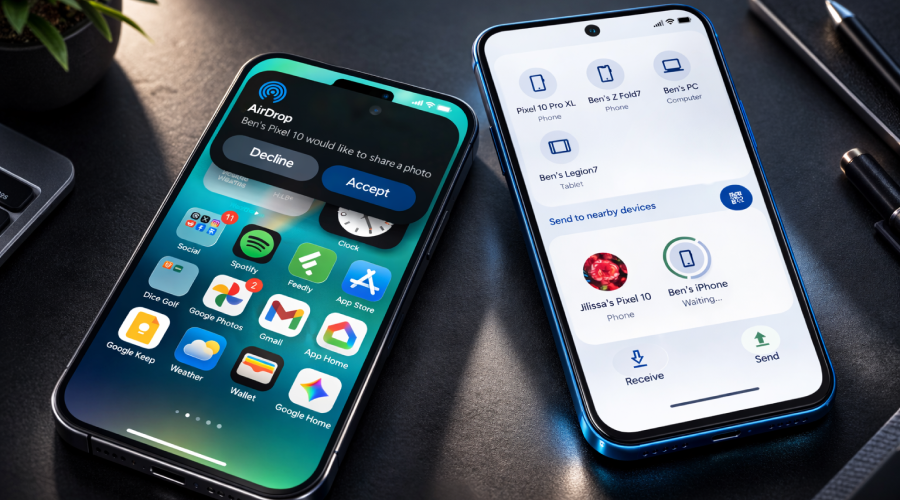
Recently, Google has rolled out an important update to Android’s Quick Share feature. The tech giant has removed one of its widely used “Everyone” modes from Quick Share. According to reports, Google did it in order to strengthen user privacy and data security. This change clearly reflects Google’s growing focus on safeguarding users from unintended file transfers and potential digital threats. To know it in detail, keep reading the post. Let’s dive in…
What Was the “Everyone” Mode?
“Everyone” mode was one of the settings in Android’s Quick Share feature. Quick Share is a wireless data transfer service. It’s working is similar to AirDrop on Apple devices, which allows wireless file sharing between nearby devices. Quick Share allows users to instantly share photos, videos, documents and other files with nearby devices. However, Google has introduced a few updates to Quick Share in February, 2026.
Earlier, it had three options to share files with, such as:
- Contacts: Allows users to share files with all the contacts that are synced with their Google account.
- Your Devices: Allows users to share files between two Android devices that are signed in with the same Google account.
- Everyone: As the name says, the “Everyone” mode makes your device visible to all nearby Android users to share files with.
- Everyone for 10 minutes: This is a time-bound setting that temporarily opens visibility to anyone nearby for only 10 minutes.
“Everyone” setting had both pros and cons. Of course, it offered convenience, but at the same time it also posed certain risks. If this option is turned on, someone nearby could try to send you harmful files. Of course, you won’t receive the file unless you tap “Accept” on the pop-up, but you never know what trick a scammer can use to lure you to press the Accept button. So, in a way, it is a risky setting.
What’s New?
With the new update, Google has removed the permanent “Everyone” visibility setting from Quick Share. However, users still have the “Everyone for 10 minutes” option to share files with for a limited time. This temporary sharing window makes your devices undiscoverable after 10 minutes and prevents them from the risk of spam transfers or malicious file-sharing attempts.
After 10 minutes the visibility automatically switches back to a more private setting. Quick Share again has four visibility options, including ‘Your Devices,’ ‘Contacts,’ ‘Everyone for 10 minutes,’ and ‘No one.’ The new ‘No one’ option allows users to disable incoming requests entirely.
Prioritising Data Security and Privacy Protection
With the newest Quick Share update, the brand has once again proved how focused it is to safeguard users’ data and privacy from malicious threats. Now users can have better control over who can see their device and send files. By removing the “Everyone” mode, the tech giant has reduced the risk of wireless file sharing being misused in crowded places, such as malls, airports, railway stations and others. By limiting who can see your device, Android aims to offer a safer experience while still keeping file sharing easy and convenient for users.
Convenience Remains Intact
Despite the removal of the always-on “Everyone” mode, Quick Share still is one of the best Android features. Users can still share files seamlessly with their contacts or their own synced devices too without being worried about threats.
Overall, the latest Android update simply highlights the company’s commitment to offer users’ a safer and more user-friendly experience. Now, you can share files without any worry!


