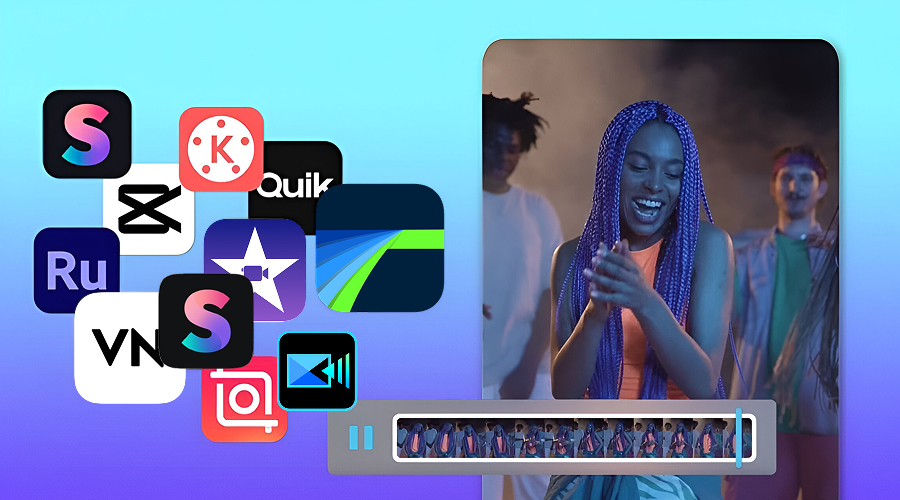
Video content has emerged as one of the most powerful tools for sharing stories, ideas, and experiences. What is more exciting is that you do not require a desktop/laptop or expensive software to edit. Both long and short videos, whether on YouTube, TikTok, or Instagram Reels, are altering how we get information and entertainment.
According to a report by Statista, in 2025, more than 70% of video content creators worldwide edit their work using mobile apps before sharing. These numbers reflect a cultural change: video making is no longer a matter of large editing rooms. Instead, the power of creativity is in your pocket.
Smartphones have become editing studios. Using advanced applications, one can cut, add effects, change colors, and then post work on the move. Exploring social media short videos as a beginner or an experienced videographer editing professional videos, finding a suitable video editing tool is the key point.
What Makes a Great Video Editing App?
Before highlighting the apps, we must understand what makes a video editing app great.
- Ease of Use: The interface must be user-friendly even to new users.
- Advanced Features: Pro features such as multi-layer editing, chroma key (green screen), and audio control.
- Cross-Platform Compatibility: The possibility to edit on your phone and desktop or share with different devices.
- Export Quality: The ability to support 4K and even HDR exports is essential.
- Affordability: A lot of creators are freelancers; therefore, competitive prices are essential.
Now, let’s look at the top Android and iPhone applications every creator should consider.
List of the Best Video Editing Apps for Android and iPhone
1. CapCut – The Social Media Favorite
You have either used or seen CapCut edits if you use TikTok or Instagram. CapCut was developed by ByteDance (parent company of TikTok), and it is seamlessly integrated with social platforms.
Key Highlights:
- Free to use with premium upgrades
- AI features for auto-captions, background removal, and effects
- Trend-based templates for fast edits
- 4K export support
Why it works:
CapCut brings editing to the masses. A content creator I know used this app to launch his first series on TikTok, and within a few weeks, his follower count went through the roof. According to The Verge, what made CapCut so popular is the fact that it simplifies the technological aspect and lets the process of creativity lead. This is ideal for anyone who wants quick, stylish, and ready-to-share videos.
2. Adobe Premiere Rush – Professional Yet Simple
Adobe Premiere Rush is easy to use and includes professional functions. It helps creators to create polished videos in a short time thanks to multi-track editing, templates, and Creative Cloud sync. Cost-effective and easy to use with smartphone-level finishing and ideal quality for YouTubers, vloggers, and social media editors. You can even edit videos on a smart mobile phone for convenience and flexibility.
Key Highlights:
- Advanced editing on a multi-track timeline
- Included forms of titles and transitions
- Works perfectly with Adobe Creative Cloud
- Available on Android, iOS, and desktop
Why it Works:
Rush offers the perfect balance of professional shine without having to learn an entire program. In my case, using Rush was the first time I understood how fast I could edit, color-grade, and output a branded video while travelling. The level of credibility associated with Adobe also plays a role; its tools have an established reputation of being used by professionals across the scope of industries.
3. LumaFusion – The iPhone Creator’s Power Tool
Noted as the Final Cut Pro of iOS, LumaFusion is the reference app for iPhone and iPad video editors.
Key Highlights:
- Multi-layer editing (video, audio, graphics)
- Color grading tools on par with desktop software
- Keyframe animations for fine control
- Exports up to 8K resolution
Why it works:
Scores of YouTubers, journalists, and filmmakers now use LumaFusion to edit. In fact, 9to5Mac reported that short movies have been edited using this app. As reported in an interview, a known movie maker realised the power of this app by editing a mini-documentary during a flight, producing a piece with highly professional editing just before arrival. This is the future of mobile editing and one of the most popular mobile apps for iPhone creators.
4. Kinemaster – The All-Rounder
Kinemaster is a powerful yet easy-to-use mobile video app that allows the user to have both simplicity and advanced features. It has multi-layer editing, green screen, transition, speed management, and audio controls. It is accessible on both Android and iOS and offers creators tools to create high-level video directly using smartphones or tablets.
Key Highlights:
- Multi-layer video editing
- Chroma key (green screen) support
- Speed control and reverse video effects
- Free version with watermark, premium for pros
Why it Works:
Kinemaster is an exceptional tool since it provides professional functions, very easily accessible. Its naturalized interface guides editing without any hustle and with special features like chroma keying, keyframe animation, and accurate sound controls, enhancing content. Reasonable subscription rates and the possibility of cross-platform functions make it look attractive to both amateurs and experts in need of a stable and feature-strong editing tool.
5. InShot – The Lifestyle Creator’s Choice
InShot is developed by creators whose primary concern is lifestyle, social media, and everyday storytelling. It has fast trimming, transitions, stickers, filters, and aspect ratio templates designed for Instagram, TikTok, and YouTube. The ease in navigation allows it to be highly user-intuitive, which makes the editing process quick, enjoyable, and easy enough to use by both casual and aspiring influencers.
Key Highlights:
- Speedy trimming, splitting, and merging
- Extensive library of transitions and stickers
- Aspect ratio templates for various platforms
- Music and voiceover integration
Why it works:
InShot succeeds because it matches the current workflow of creators. It simplifies our job of creating polished and interesting clips without letting technical nitty-gritty get in its way. Its combination of creativity tools, filters, and music integration means that the content feels lively, which is why it is one of the most used applications when it comes to social-first storytelling.
6. VN Video Editor – The Underrated Gem
VlogNow, which is also called VN Video Editor, is a free and fully featured clip editing program that can be used on Android or iOS. It contains multi-track editing, custom keyframes, LUT filters, and 4K export without any watermark. It has a tidy interface and effective tools, making it an impressive option to use both by newcomers and professionals.
Key Highlights:
- Multi-track timeline editing
- Personalized keyframes
- LUT filters for cinematic aesthetics
- 4K export without watermark
Why it works:
VN is remarkable since it provides professional-grade features at free cost. Its multi-levels, film effects, and fine adjustments are all good enough that it compares to the best-selling apps with smooth fluid output levels. By eliminating paywalls and watermarks, it helps empower independent creators, vloggers, and students by enabling them to create polished videos without hitting financial and technical speed bumps.
7. iMovie – Apple’s Beginner-Friendly Tool
iMovie is a video editing application produced by Apple and availed natively in iPhone and iPad, designed with a clean interface and with an essential set of tools. It offers templates, transitions, audio synchronization, and 4K support, which is an ideal starting point to produce professional and easy-to-use videos.
Key Highlights:
- Drag-and-drop user interface
- Templates for trailers that tell stories instantly
- Seamless Mac syncing for prolonged editing
- All Apple users can use it for free.
Why it works:
Movie is an effective application because it breaks down the barriers to editing as it is integrated into the Apple ecosystem. It is simple, has 4K quality, and movie templates. By prioritising convenience and access, it enables average users to easily produce quality-looking videos without having technical knowledge or owning high-quality software.
8. PowerDirector – The Feature-Packed Workhorse
PowerDirector has comprehensive editing features, which include 4K rendering, slow motion, stabilization, and chroma key. It offers desktop-level precision in a mobile device package, which can be used by creators who need video control and customization at a professional level.
Key Highlights:
- Stabilized 4K editing
- Motion graphics, mixing modes, and chroma key
- An extensive collection of stock assets and effects
- Affordably priced premium membership
Why it Works:
PowerDirector succeeds as it combines mobile convenience with powerful control. Its precision through tools such as stabilization and green screen proves valuable to creators who need precision. The combination of its professional features and portability makes it one of the strongest apps to do editing on the go.
9. Quik by GoPro – The Action Lover’s Editor
Quik, formerly known as GoPro Quik, is designed for quick and easy editing of action-packed footage, especially for users of GoPro cameras. It automatically organizes and syncs your clips to music, making it simple to create polished highlight reels in minutes.
Key Highlights:
- Automatically syncs music with clips
- Intelligent highlight recognition
- Cloud storage for GoPro video
Why it works:
Quik is the ideal tool for action lovers and travelers who want to create a video of their adventures quickly and without hassle. Its smart features do the heavy lifting of editing for you, allowing you to easily produce a dynamic and engaging video for social media without spending hours on a manual edit. Its seamless integration with the GoPro ecosystem makes it the go-to app for sharing your moments as soon as you capture them.
10. Splice – The Quick Editor
Splice is easy and quick to edit. It provides trim, transitions, effects, and it has in-built music libraries, and it can therefore be used to produce a ready video. It is lightweight but still effective with quick turnaround times without compromising outputs.
Key Highlights:
- Clean, minimalist interface
- Precise trimming and transitions
- Extensive royalty-free music library
- Great for short, social content
Why it works:
Splice is an efficient and fast tool. It can help creators with ready-to-use templates and accessible tools to edit and share videos in minutes. It is also well-suited to real-time editing (e.g., travels, lifestyle, or real-time projects).
Key Takeaways
- CapCut is the king of social video editing, and LumaFusion leads in pro-level mobile video editing.
- Adobe Premiere Rush can fill the gap between casual and professional creatives.
- The free tools, such as VN, make professional editing affordable.
- The most suitable app is not the one with fancy features, but the one that fits your style and workflow.
Conclusion
The selection of the video editing app depends on your requirements, level of skills, and even platforms. From professional-grade apps like LumaFusion and PowerDirector, to social-first ones, such as CapCut and InShot, we have options that suit each creator. These mobile apps show that you don’t have to use desktop applications anymore to create quality and interesting content.